How a PoE Switch Helps a Small Office Run Cleanly
A PoE switch, or Power over Ethernet switch, sends electrical power and network data through the same cable. That means you do not need a separate plug point at every phone or access point, which is very handy in older buildings in Cape Town, Bellville or Stellenbosch where socket space can be limited. It also reduces cable clutter behind reception counters, in meeting rooms and along cable trays.
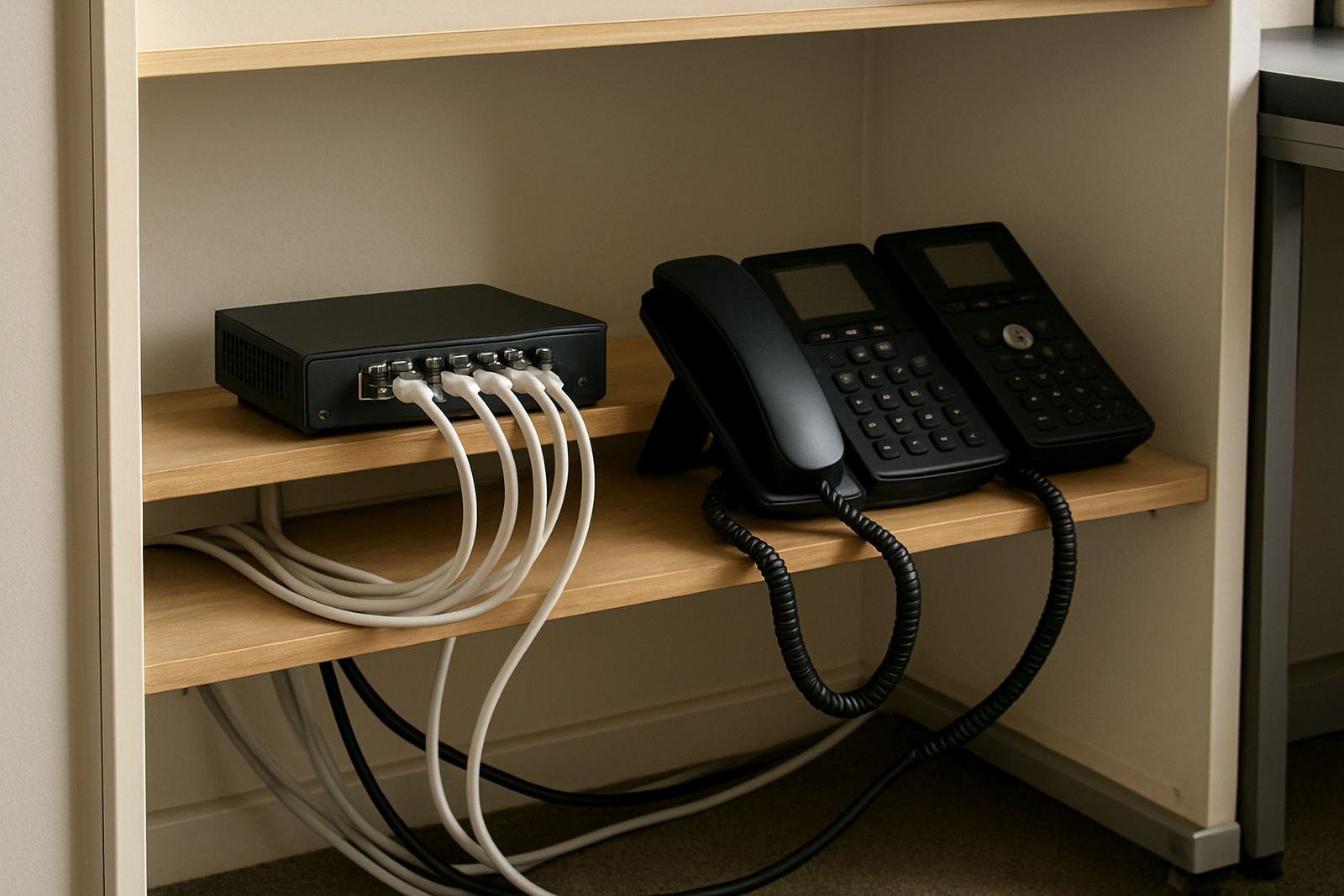
For offices using VoIP handsets, a PoE switch makes deployment faster and more organised. During load-shedding, the switch can be kept on backup power through your UPS, so your phones and WiFi equipment stay online as long as the rest of the network and internet connection are up. It is not about fancy extras, it is about keeping communication working when staff need it most.
Typical Sizes and Port Options for Office Use
PoE switches are usually chosen by port count and power budget. A small office may only need an 8-port unit for a handful of handsets and one or two access points, while a growing team may need 16, 24 or 48 ports to cover several rooms, a boardroom and an open-plan area. If you are fitting out a branch office in Century City or relocating a team in Somerset West, the right size depends on how many devices need power now and how many you plan to add later.
- 8-port PoE switch for compact offices, front counters and small branch sites
- 16-port PoE switch for mid-sized teams, multiple VoIP phones and a few access points
- 24-port PoE switch for larger offices, more users and structured network cabling
- 48-port PoE switch for busy offices or sites with several rooms and expansion room
You also need to look at whether each port supports standard PoE for phones and wireless access points, and whether the total power budget is enough for all connected devices at once. A switch can have many ports but still run short if every device draws power at the same time.
Where PoE Switches Suit Best in South African Offices
PoE switches suit offices that want tidy cabling and fewer plug top adapters. They work well in reception areas, call rooms, boardrooms, shared workspaces and stores where a phone or access point must be mounted on a wall or ceiling. They are also useful for office relocations because the network team can move devices and reconnect them more quickly, without waiting for extra electrical work.
In coastal areas like Cape Town and Somerset West, equipment should be installed in a dry, ventilated space with good airflow because salt air and humidity can shorten the life of electronics if the cabinet is poorly placed. In hotter or dusty spaces, keep the switch inside a proper comms cupboard or rack, not on an open shelf near cleaning chemicals or direct sun. For offices in business parks, body corporate rules may also limit where external cabling can run so planning matters.
- VoIP phones in reception, offices and meeting rooms
- Wireless access points for full office WiFi coverage
- Network cameras where supported by the switch power budget
- Small branches needing fewer electrical points and cleaner cabling
Installation, Power Backup and Cabling Checks
A PoE switch setup is not complicated, but the physical layout still needs attention. The switch should be mounted in a suitable rack or secured cabinet where possible, with patch leads, uplinks and power feeds kept neat and labelled. It should be connected to a stable mains circuit and, ideally, to a UPS if your office needs phones and WiFi to keep running during power interruptions. The switch itself does not need gas or any special service supply, just correct electrical power and proper ventilation.
If your site is in a building with generator backup, confirm that the PoE switch and router are both on the backed-up circuit. One weak link can take the whole office offline. We also check cable quality, because old or damaged Ethernet runs can cause phones to reboot or access points to underperform. A new switch will not fix a bad cable in the wall.
- Use Cat5e or Cat6 cable in good condition for stable power and data delivery
- Allow space around the switch for airflow and heat dissipation
- Check that UPS capacity covers the switch plus the router and ONT
- Label ports so future moves and fault tracing are quicker
What to Check Before You Order a PoE Switch
Before ordering, count the devices that need power now and add room for growth. A common mistake is to match the port count to current staff numbers but forget the access points, spare phones, or a future printer or camera. Also check whether your handsets and wireless equipment use standard PoE and not a higher power standard that the switch cannot supply. If you are not sure, it is better to ask first than to discover a shortfall after installation.
It helps to know where the switch will sit, how many uplink ports you need, and whether you want managed features such as VLAN support, port monitoring or traffic controls. Those functions are useful in offices with separate voice and data traffic, especially where internet usage is heavy. And yes, it is worth checking the rack size before ordering, because some switches need more depth than expected.
Servicing, Monitoring and Long-Term Care
A PoE switch does not need much day-to-day attention, but it should not be forgotten once installed. Keep the ventilation clear, check that fans and status lights are working, and watch for ports that drop devices without reason. If a phone keeps resetting or a WiFi access point goes offline, the cause may be the switch, the cable or the power backup, not necessarily the device itself.
For offices with more than a few users, regular network monitoring is sensible. It helps spot power draw issues, failing ports and abnormal traffic before staff start phoning in complaints. NewTel can assist with installation, support and after-hours fault response for offices that need help outside standard business hours.
Key facts
| Product type | Ethernet switch with Power over Ethernet support |
|---|---|
| Common port sizes | 8-port, 16-port, 24-port and 48-port options |
| Typical use | VoIP phones, wireless access points and other low-power network devices |
| Power planning | Requires correct total PoE budget and UPS backup for load-shedding protection |
| Installation environment | Indoor office network cabinet, rack or secured comms cupboard |
| Cabling recommendation | Cat5e or Cat6 Ethernet cabling in good condition |