What a Voice Router Does in a Small Office
A voice router sits between your internet line and your phones or VoIP handsets. Its job is to recognise call traffic and give it first priority so speech stays steady even when someone is sending files, syncing cloud backups or joining a video call. In a small office, that can make the difference between a call that sounds clean and one that cuts in and out.
NewTel configures voice routers for offices that want clear day-to-day calling without overcomplicated kit. The router works with fibre connections, supports multiple extensions and helps manage call quality with traffic controls that favour voice packets. If your team takes bookings, handles client queries or uses remote support, a properly set voice router helps the phones behave as they should.
These units are suited to offices that already use VoIP or are moving from a traditional phone line to internet calling. They are also useful for branch offices and professional rooms where one bad call can cost time. For many businesses, the first thing they notice is less delay on calls and fewer dropouts during busy hours.
Router Sizes and Setup Options
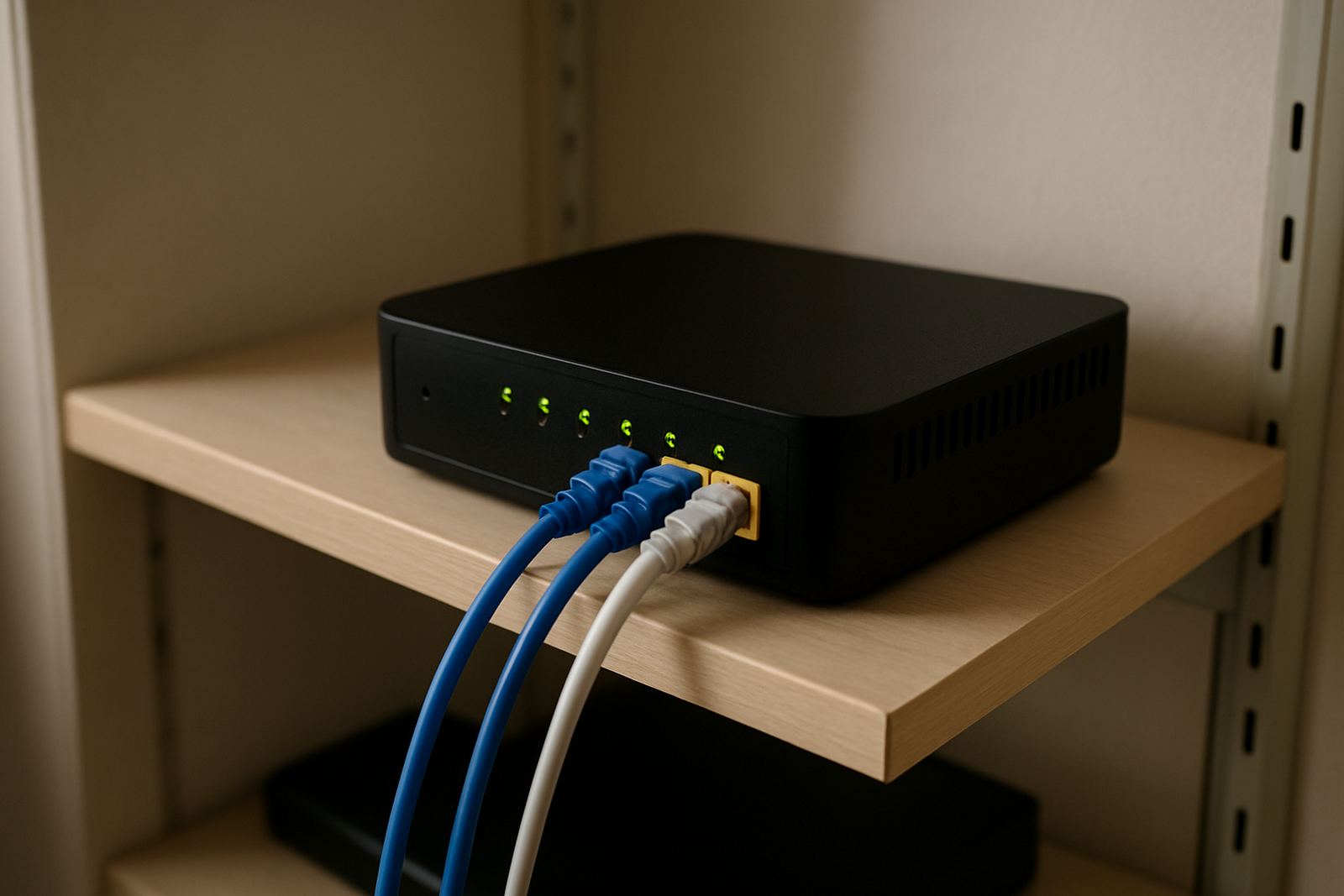
Voice routers are usually supplied in compact desktop units or small rack-mount models, depending on the size of the office cabinet and how many users need to be supported. A compact unit is often enough for 3 to 15 staff. Bigger offices, or premises with several phones, call queues and guest WiFi, may need a unit with more ports and stronger processing power.
Typical setup options include one WAN port for the fibre service, four or more LAN ports for office devices, and at least one dedicated voice priority profile. Some models include dual-band WiFi, though many offices choose a separate access point so wireless use does not affect call handling. In a bigger site, the router may form part of a broader network with switches, cabling and monitoring tools.
- Small office model for up to 10 users
- Mid-size model for 10 to 25 users
- Model with VLAN support for voice and data separation
- Rack-friendly option for comms cupboards
- Units with backup battery input for short power outages
Where a Voice Router Suits Best
Voice routers suit offices that depend on regular inbound and outbound calls. That includes law firms, medical rooms, accounting practices, property offices, sales teams and service businesses with a reception area. In Cape Town and the surrounding business districts, many offices also use them where fibre is available but call quality still needs to be protected from heavy internet use.
They are also a practical choice for branch sites in Bellville, Somerset West, Paarl and Stellenbosch, especially where staff are sharing one connection for phones, message and cloud systems. If you have multiple users working from one open plan space, or a small team in a converted retail unit, the router can keep the voice traffic separate from everything else.
For offices near the coast, a stable, well-ventilated router setup matters because heat and humidity can shorten the life of weak equipment. A properly installed voice router inside a clean comms area, away from direct sun and dust, will usually hold up better over time.
Installation, Power and Network Needs
Most voice routers need a live fibre service, a stable power source and enough space for neat cabling. NewTel can install the router as part of a full voice or fibre job, or fit it into an existing office network. If your site has a comms cabinet, the router can be mounted there with the other network gear. If not, it can sit on a shelf or counter, provided it has airflow.
Power planning matters. A voice router does not use much electricity, but it still needs protection during load-shedding and short outages. Many offices pair it with a small UPS so calls do not drop when the lights go off. If your phones are PoE handsets, the network switch may also need backup power. In some sites, the router is placed on a separate UPS from the rest of the data network to keep voice running longer.
- Allow one power point for the router and one for the fibre ONT if supplied separately
- Keep the unit away from heaters, windows and damp walls
- Use Cat 5e or Cat 6 cabling for neat connections
- Plan a UPS size that gives at least 30 to 60 minutes of call time
- Check that the router can sit before a switch or firewall if required
Care, Servicing and Keeping Calls Clear
Voice routers need very little day-to-day care, but they do better with regular checks. The unit should be kept dust-free, with cables secured and labelled so faults can be traced quickly. If the office moves, grows or adds more extensions, the router should be reviewed to make sure the voice settings still suit the traffic load.
NewTel offers after-hours support and network monitoring, which helps when call quality changes after a line move or power event. If the router is part of a larger office network, it is also worth checking firmware updates, port settings and the voice priority profile every so often. A small change in cabling or internet usage can affect performance more than people expect.
If a unit starts running hot, restarting often or causing echo on calls, it should be checked by a technician. These are often signs of power trouble, cabling faults or a settings issue rather than a full hardware failure. Catching it early usually keeps costs down and avoids long interruptions.
What to Check Before You Order
Before ordering a voice router, it helps to know how many users will be on calls at the same time, whether the office has fibre already, and if the phones will be counter handsets, softphones or both. You should also check if number porting is needed, whether the site needs guest WiFi, and if there is enough space in the comms cupboard for the unit and any supporting equipment.
It is also wise to confirm the power situation. Offices with regular load-shedding, or sites in older buildings with limited plug points, may need a UPS and a tidy power layout. If the branch is being relocated, the router can be planned together with the new network cabling so the move does not leave staff off-line for longer than needed.
- Number of active users and expected call volume
- Type of fibre service already in place
- Need for number porting or new VoIP numbers
- Available space in cabinet or on a shelf
- Backup power arrangements and UPS run time
- Any need for user training after installation
NewTel works from Century City in Cape Town and supports offices across South Africa. If you need a voice router that is set up properly from day one, the team can help with the hardware, the configuration and the follow-up support.
Key facts
| Product type | Business-grade VoIP voice router |
|---|---|
| Primary function | Prioritises voice traffic for clearer internet calling |
| Typical office size | 3 to 25 users depending on model and call load |
| Ports | WAN and multiple LAN ports, with voice traffic prioritisation |
| Power use | Low power draw, suitable for UPS backup |
| Installation | Desktop or comms cabinet mounting with fibre and VoIP setup |