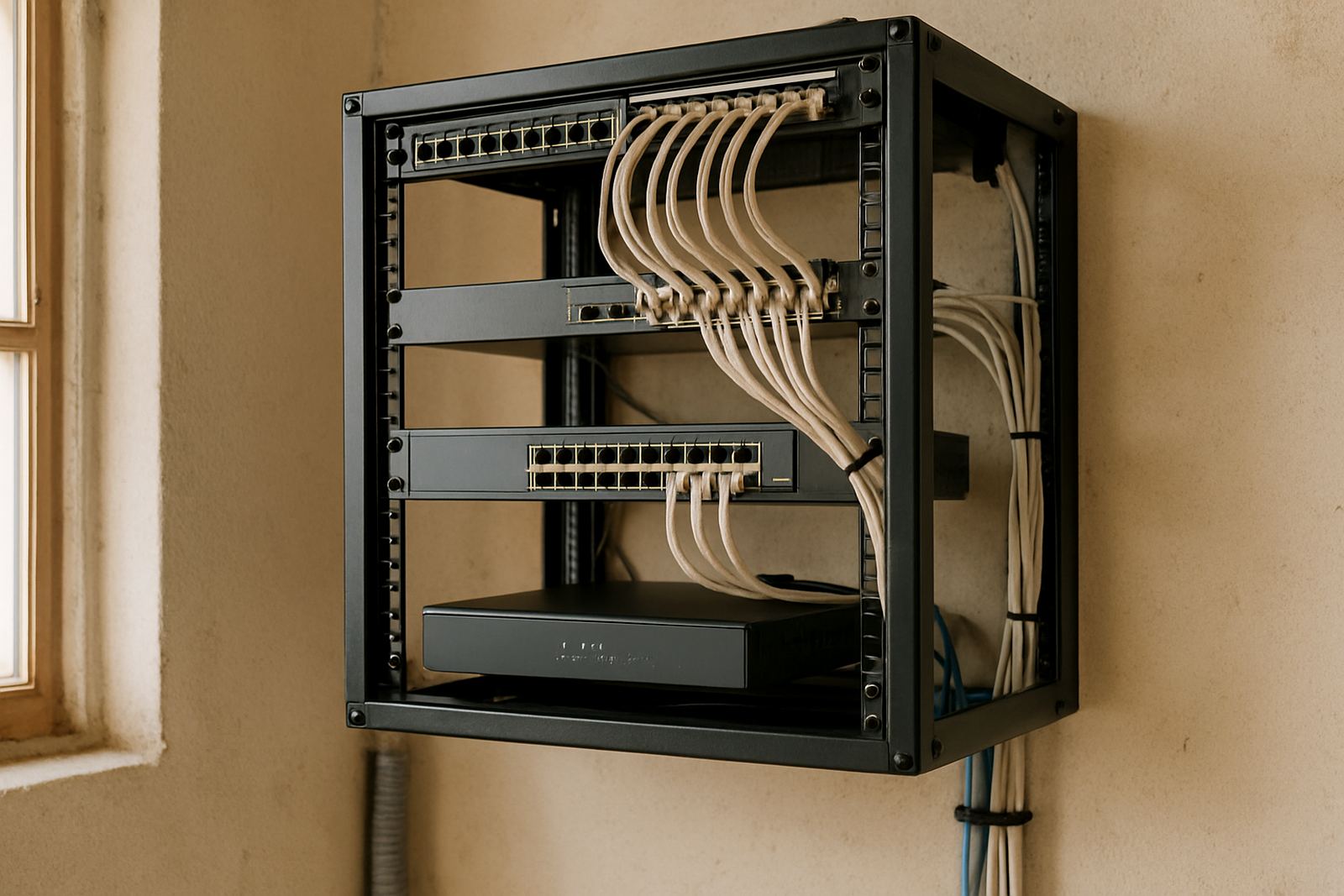
What a Network Rack Does in a Small Office
We supply wall-mounted cabinets and floor-standing racks in common office sizes. Smaller units are useful for 8 to 12 workstations, while larger floor cabinets suit growing teams, server rooms and multi-branch setups. The right size depends on the number of ports, the amount of kit you need to keep cool, and whether you want spare space for future growth.
Common options include 6U, 9U, 12U, 15U, 18U, 27U and 42U cabinets, with widths around 600 mm or 800 mm and depths from 450 mm to 1000 mm. In humid coastal areas such as Cape Town, Somerset West and Paarl, a vented door or fan tray helps keep heat down. In tighter rooms, a slim wall cabinet can be the sensible choice, especially where floor space is limited and cleaners need a clear path.
- Wall-mounted racks for small offices, reception areas and satellite branches
- Floor-standing cabinets for patching, routers, UPS units and expansion
- Open-frame racks for secure comms rooms with good airflow
- Lockable steel doors and side panels for access control
- Adjustable rails and shelves for mixed hardware layouts
Where a Rack Suits Best
Proper installation matters just as much as the rack itself. The cabinet should be fixed level, with enough clearance for front and rear access, cable entry and servicing. Wall-mounted units need solid fixing into brick or suitable studs, while floor racks should sit on a level surface with room for patch leads, fibre tails and power cabling.
Most offices use standard mains power for the network rack, but the important point is backup power. A UPS can keep routers, switches and VoIP phones running through outages and brief load-shedding periods. For small offices, a 650 VA to 1500 VA UPS may be enough for basic networking, while larger racks may need separate units or a planned backup circuit. We also check that the power points are placed sensibly, not hidden behind equipment where they are hard to reach.
- Allow space for a UPS, power strip and cable management bars
- Keep heat-producing devices separated where possible
- Use a fan tray or vented cabinet if the room gets warm
- Do not block intake or exhaust areas with loose boxes
- Label all power and network leads for faster fault finding
Care, Servicing and Day-to-Day Checks
A network rack does not need complicated upkeep, but it does need regular attention. Dust build-up can restrict airflow, patch cords can loosen over time, and extra devices often get added without being labelled. A quick monthly check keeps the cabinet orderly and helps prevent small faults becoming bigger ones.
In coastal areas, look out for salt air and corrosion on exposed fittings. Inland, the main issue is often dust from open windows or building work nearby. Keep the cabinet closed where possible, wipe down surfaces, and inspect fans, cables and power points during routine maintenance. If the office relies on VoIP, it is worth checking after-hours support options too so faults can be handled without interrupting business hours. A tidy rack really does save time when things go wrong.
- Inspect cable labels and patching after any office change
- Check that the UPS battery still holds charge
- Replace damaged patch cords or bent connectors
- Confirm switches and routers have clear airflow
- Review the rack layout during annual network servicing
What to Check Before You Order
Before choosing a network rack, count the equipment that must fit now and allow space for what you may add later. Include the fibre termination, router, switch, phone system hardware, UPS, shelves and any spare patch panels. It is also worth checking where the rack will be mounted, how much depth you need for the equipment, and whether the room can handle the weight. Some offices underestimate depth and then find the cabinet is too shallow for the hardware, which is a pain to fix later.
Ask whether you need wall or floor mounting, lockable doors, glass or perforated fronts, and side access panels. If the office is in a high-traffic building in Cape Town CBD or Century City, security and access control matter more. If the site has regular load-shedding, plan for UPS space and enough sockets. If you are porting numbers, adding VoIP handsets or changing office layout, it helps to choose a rack that can adapt without a full replacement.
We also recommend checking cable entry points, earthing requirements and whether your room has enough ventilation. Municipal or building rules may require specific cabling routes or fire-safe practices, so it is better to plan that early. The right rack should suit the office now, and still make sense after the next round of staff growth or network changes.
Key facts
| Product type | Network rack or cabinet for office communications hardware |
|---|---|
| Common sizes | 6U, 9U, 12U, 15U, 18U, 27U and 42U |
| Width options | Typically 600 mm or 800 mm |
| Depth options | Typically 450 mm to 1000 mm |
| Mounting | Wall-mounted, floor-standing or open-frame |
| Typical use | Fibre termination, VoIP equipment, switches, patch panels and UPS backup |