What a managed switch does in an office network
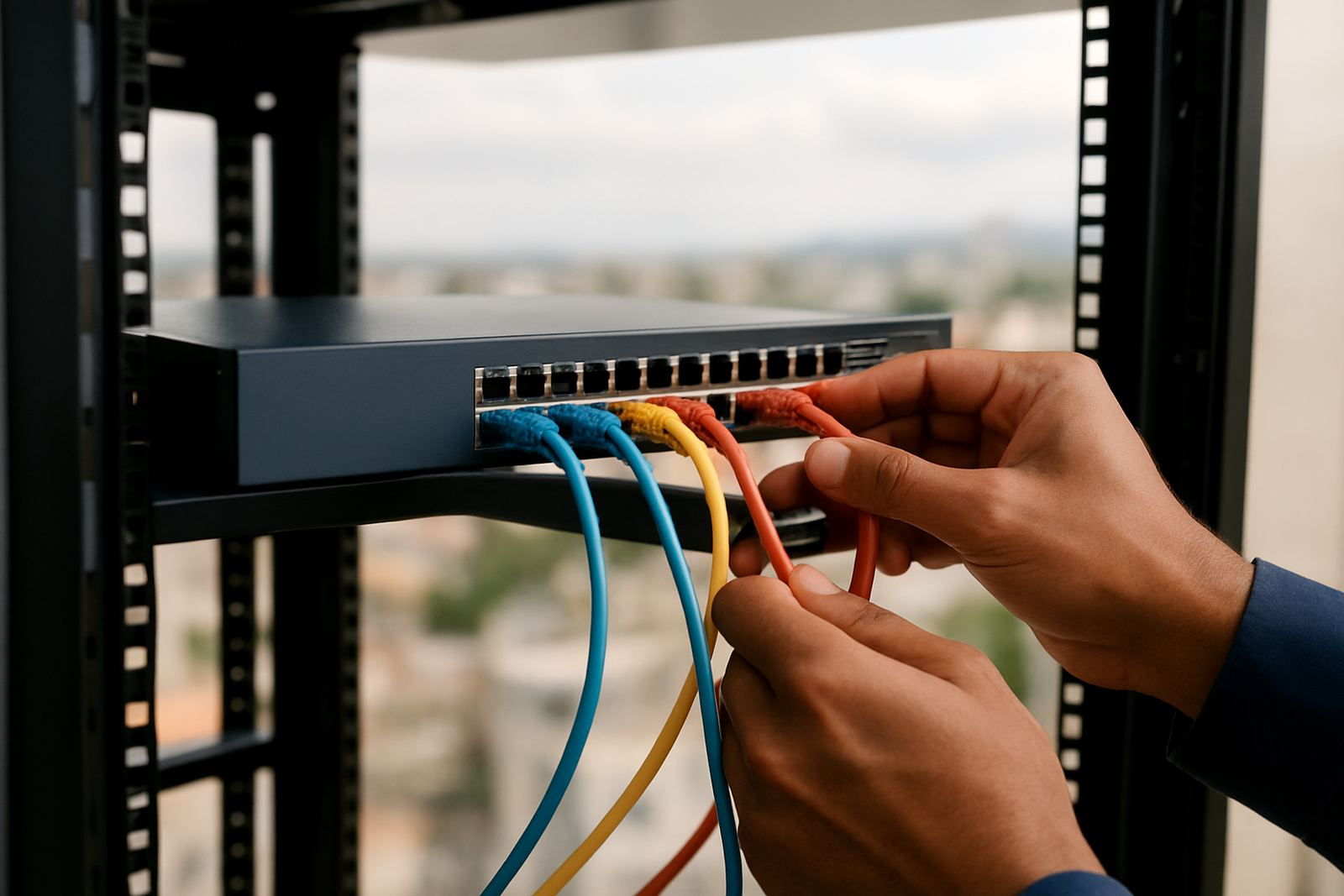
A managed switch sits at the centre of your office LAN and lets you direct traffic instead of letting every device compete for the same path. That matters in small offices where phones, printers, WiFi access points, PCs and CCTV all share one network and a single weak point can slow the whole team down. With the right setup, you get better visibility, tighter control and cleaner separation between voice, data and guest access.
For offices in Cape Town, Bellville, Somerset West, Paarl and Stellenbosch, a managed switch is often the best choice where staff numbers are growing or where VoIP phones need steady call quality. It is also useful in buildings with thicker walls, long cable runs or shared landlord space where neat cable management and simple fault tracing save time. A good switch makes day to day support easier, and yes it saves alot of guesswork when something stops responding.
- Traffic control for voice, data, printers and guest WiFi
- VLAN support to separate departments or services
- Port monitoring so faults are easier to trace
- PoE options for phones, access points and cameras
Switch sizes and options for small to mid-sized offices
Managed switches come in different port counts and power levels, so the right option depends on how many fixed devices you have now and what is likely to be added over the next 12 to 24 months. Smaller offices may only need 8 or 24 ports, while a growing company with several meeting rooms, an entry system and a few VoIP handsets may need 48 ports or more. Uplink speed matters too, especially when fibre is fast and internal switching should keep up.
We normally look at port mix, PoE budget, uplink speed and whether the switch needs stacking or fibre uplink support. For many offices, a 1 Gbps port to each device with 10 Gbps uplinks between the switch and core router is a practical starting point. If you run hosted phones, wireless access points or surveillance cameras, Power over Ethernet can reduce the number of separate power points needed, which helps in older premises and during load shedding when UPS planning matters.
- 8 port for small teams or branch rooms
- 16 port for light office use and a few VoIP handsets
- 24 port for standard small office layouts
- 48 port for larger floors, shared services or expansion
- PoE and non PoE versions available
Where a managed switch suits best
This product suits offices that need more than basic internet sharing. It is a practical fit for legal practices, professional offices, clinics, call teams, agencies and small warehouses where users need consistent access to files, phones and cloud systems. If you have a boardroom, reception area, server cabinet or multiple network zones, managed switching gives you the control to keep each part behaving as it should.
It also helps in mixed environments where visitors need limited access and staff need full access. A managed switch can support separate VLANs for guest WiFi, internal staff, VoIP, printing and admin equipment. That means fewer accidental interruptions and less risk of one noisy device affecting everyone else on the network. In coastal areas, careful cabinet placement and tidy cable routing matter too because damp air and dust can shorten the life of poorly handled equipment.
- Offices with VoIP telephony
- Sites with CCTV, access control or access points
- Businesses with remote support needs
- Multi tenant or shared premises
- Relocation projects where the network must be rebuilt cleanly
Installation, power planning and cabinet requirements
Managed switch installation is not only about mounting hardware. The cabinet or wall bracket needs enough space for cabling, airflow and service access, and the switch should be labelled properly so later maintenance is quick. We also check whether the office has a suitable UPS, because a switch without backup power can still drop phones and internal connectivity even if the fibre link stays up. In some sites a small UPS for the router and switch is enough, while larger offices may need longer runtime.
For power, allow a standard mains supply and enough reserve for PoE loads if you are powering handsets or wireless points. There is no gas requirement for this product, but ventilation is important, especially in a cabinet tucked into a warm store room or under stairs. If the office has municipal compliance concerns, such as cable routes through common areas or landlord approval for wall fixing, we can work around those requirements and keep the job tidy. It helps to plan the install before a move, rather than after staff have already unpacked.
- Confirm cabinet size and airflow
- Check available power and UPS backup
- Label ports for phones, PCs and printers
- Test uplinks before handover
- Allow for future growth, not just current use
Care, servicing and network health checks
A managed switch needs less day to day attention than a lot of office equipment, but it still benefits from regular checks. Dust build-up, loose patch leads, failing UPS batteries and overloaded PoE ports can all cause faults that look like internet problems when the real issue is inside the office. We recommend keeping the cabinet clean, checking logs after outages and reviewing port status if a device has gone offline more than once.
NewTel can support switch monitoring, network cabling, phone system support and after-hours troubleshooting where required. For businesses that rely on VoIP, it is worth checking firmware, port speed negotiation and cable quality at least periodically. A short service visit can spot issues early and prevent bigger interruptions later. In plain terms, a few minutes of care now can save a morning of downtime next week.
- Inspect patch leads and cable strain
- Check for overheating and blocked airflow
- Review PoE draw and port errors
- Update configuration after office changes
- Keep a simple port map for future fault finding
What to check before you order
Before ordering a managed switch, count every wired device and add space for at least some growth. Include phones, printers, cameras, access points, meeting room screens, alarm links and any future user counters. Then decide whether you need PoE, fibre uplinks, stacking or basic layer 2 control. If you are moving offices, it is worth mapping the old network first so the new layout does not repeat old problems.
At NewTel, we also check how the switch will fit into your fibre service, VoIP deployment and support plan. If your team works across different rooms or floors, traffic separation can make the network easier to manage and less prone to interruption. If you are not sure how many ports you need, we can help size the solution properly and avoid paying for capacity you will never use, or worse, running out too soon.
- Port count now and in 12 months
- PoE requirements for phones and wireless gear
- Uplink speed to router or core network
- Need for VLANs or guest access
- Rack, wall or shelf mounting space
Key facts
| Port options | 8, 16, 24 and 48 port models |
|---|---|
| Speed | 1 Gbps access ports with higher speed uplink options |
| PoE | Available on selected models for phones, APs and cameras |
| Management | Web-based configuration with traffic control and monitoring |
| Installation | Rack, wall or shelf mounted depending on site |
| Power | Mains powered with UPS backup recommended for office continuity |