When Separate Branches Start Acting Like One Office
A satellite office setup suits businesses with a head office and a few smaller branches that need the same numbers, call handling rules and support standards. It is common for firms in property, accounting, consulting, logistics and professional services to have one main office in Century City or Cape Town, with smaller teams in Bellville, Somerset West or Paarl handling clients locally. The challenge is usually not the phones themselves, but the lack of control when each branch runs its own little system.
With centralised VoIP, all branches can ring through the same receptionist queue, share extensions and route calls by time of day or location. That means one manager can see missed calls, call volumes and staff availability without phoning each branch for updates. It also helps during load-shedding or fibre faults, because the call plan can be adjusted quickly if a site is offline or staff are working from home for the day.
For smaller offices, this approach often saves money on line rental and reduces admin. It also keeps the customer experience steadier, since the caller does not need to know which branch picked up. A simple setup can still be quite powerful if it is planned properly from the start, with decent bandwidth and the right handsets.
Typical Equipment For A Multi-Branch Phone Setup
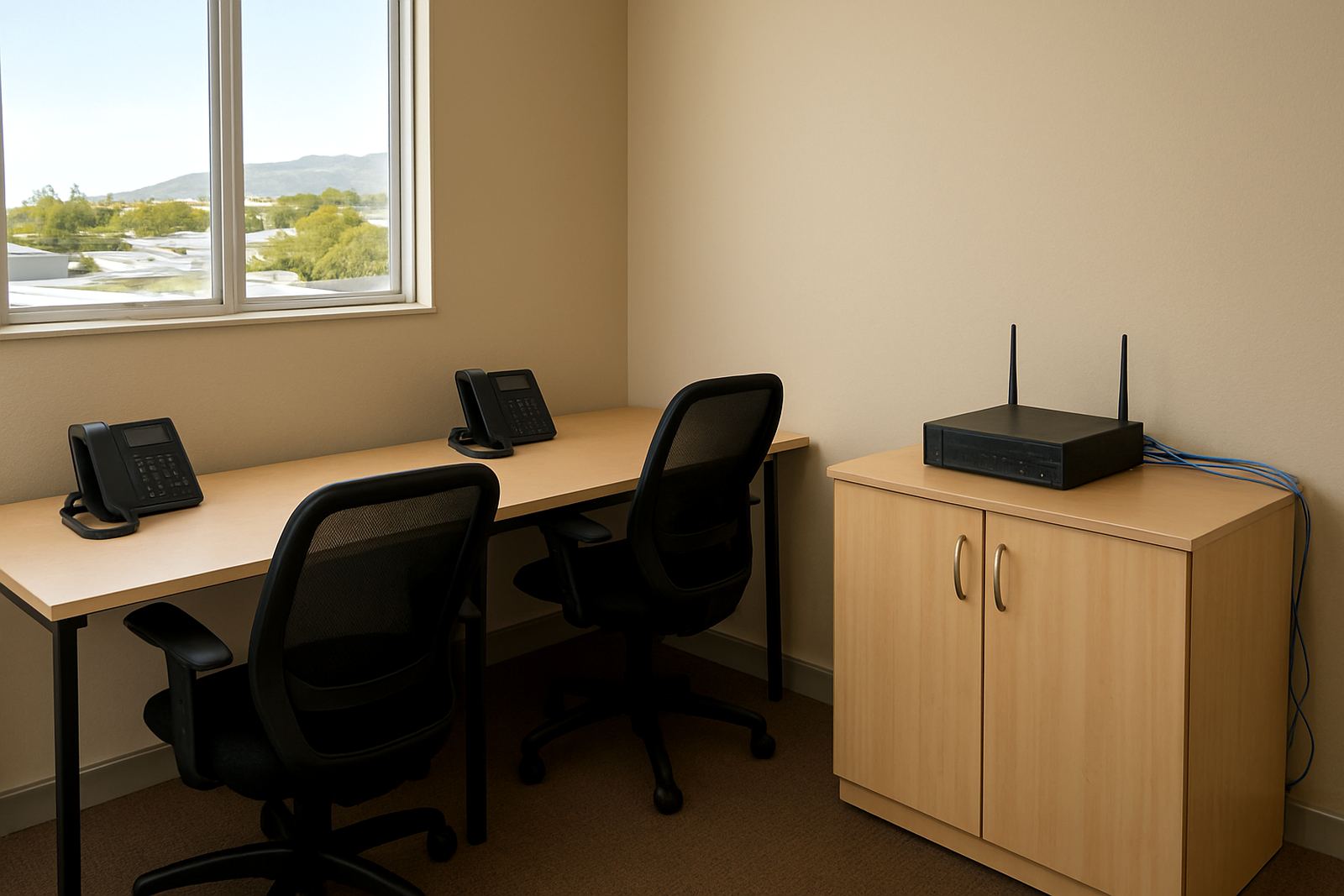
The right equipment depends on how many staff are on calls at once, how busy the front line is and whether the branches share one internet connection or several. For most satellite office projects, the core kit is practical rather than complicated. We usually plan around the real number of users and the way each site answers calls.
- VoIP counter handsets for reception and staff who take regular calls
- Headsets for noisy offices or shared work areas
- PoE network switches where handsets need power over the data cable
- A business-grade router with traffic control for voice priority
- Fibre links sized for call quality and normal office use
- Backup connectivity for offices that cannot afford extended downtime
- Structured cabling for neat, labelled points in each room
- Call management software for queues, ring groups and time schedules
In some offices, softphones on laptops or mobiles are useful for remote staff and travelling managers. In others, physical handsets are still the best fit because reception needs a reliable phone that stays put. We also look at the number porting process early if the business wants to keep existing numbers. That step can cause delays if left too late, so it is better to plan it alongside the installation and not after the hardware is already on site.
How To Plan The Layout Before Cabling Starts
Good planning starts with where people sit, where the incoming fibre enters, and which rooms actually need voice points. Offices often change counters around after the first month, so it helps to leave some spare ports and allow for small moves. In a satellite office environment, the network room at each site should be dry, lockable and close to the core switch if possible. Coastal humidity in places like Cape Town can affect equipment over time, so ventilation and tidy cable runs are worth the effort.
Reception, finance, directors and sales usually need the most reliable call access. Meeting rooms may only need one handset or a conference speaker depending on how often they are used. If a branch is in a shared building, municipal or landlord rules may affect where external cable runs can go and whether conduit is required. It sounds minor but these details can delay a project if nobody checks them early.
- Keep the main router and switch in one secure place at each site
- Separate voice and guest WiFi where possible
- Label every cable and wall point clearly
- Allow spare capacity for new staff and future branches
- Test call quality at peak traffic times, not only after hours
If the office is small, a compact layout with one data cabinet and a few well placed points can be enough. Bigger satellite offices may need a more formal patch panel and clearer zoning between call users and standard office users. Planning saves hours later, especially when the team grows quicker than expected.
Common Mistakes That Cause Call Problems
The biggest mistake is treating voice like ordinary internet browsing. A phone call needs stable latency and low jitter, not just headline speed. An office can buy fast fibre and still have poor call quality if the router is cheap, the WiFi is crowded, or large cloud backups run during business hours. That is why we always look at traffic shaping, upload speed and how many people are on the network at once.
Another common problem is trying to link branches without proper number planning. If extensions, hunt groups and voicemail rules are left to chance, staff end up missing calls or sending customers from one branch to another. Training matters too. A new handset or call flow is only useful if people know how to transfer calls, park them, or pick up for a colleague. We still see offices where every user does things differently and nobody knows the full setup.
Some businesses also forget about backup power. During load-shedding, an office may keep the lights on but lose the network switch or ONT, which means the phones go down anyway. Small UPS units for the router, fibre equipment and core switch can make a big difference. It is not glamorous, but it keeps the branch reachable when the rest of the area is quiet.
Budget Ranges For Satellite Office Projects
Costs depend on the number of branches, the amount of cabling needed and whether the business wants new numbers, ported numbers or a mixed setup. A small satellite office with a few users and basic handsets can often start from about R12 000 to R25 000 per site for equipment and installation, excluding monthly connectivity. That range covers straightforward deployments where the layout is simple and the fibre is already in place.
For a more structured multi-branch rollout with reception queues, call recording options, better routing, number porting and support across several sites, budgets often sit between R30 000 and R85 000, depending on user count and cabling. Larger offices or those needing relocation work, after-hours support, and extra network points can run higher. Monthly costs are separate and usually include fibre, VoIP service, support and any call bundles the business chooses to add.
A useful way to budget is to think in layers: one-off installation, monthly connectivity, and support. That makes it easier to compare options fairly. A slightly higher upfront spend on cabling and switching can reduce faults later, which often saves money over 12 to 24 months. No one enjoys paying twice for the same issue.
How NewTel Supports Branches Across South Africa
NewTel works with small offices that need one clear phone environment across several locations, with proper support behind it. From our Century City base, we help plan fibre installation, VoIP deployment, number porting, WiFi design, network cabling and office relocations. If a branch in Bellville needs a tidy re-run of points or a Somerset West office needs a better call setup, we build around the actual site instead of forcing one standard template everywhere.
We also assist with after-hours support, user training and ongoing monitoring so the system stays useful after the first week. That matters for satellite offices because the people answering calls are not always the same people who signed off the project. A clean handover, plus clear support contacts, keeps the setup working when staff change or when another branch is added later. For businesses spread between Cape Town and offices in other parts of the country, central management makes life easier and the phone system stops being a daily headache.